 USA
USA UK
UK Australia
 UAE
UAE Canada
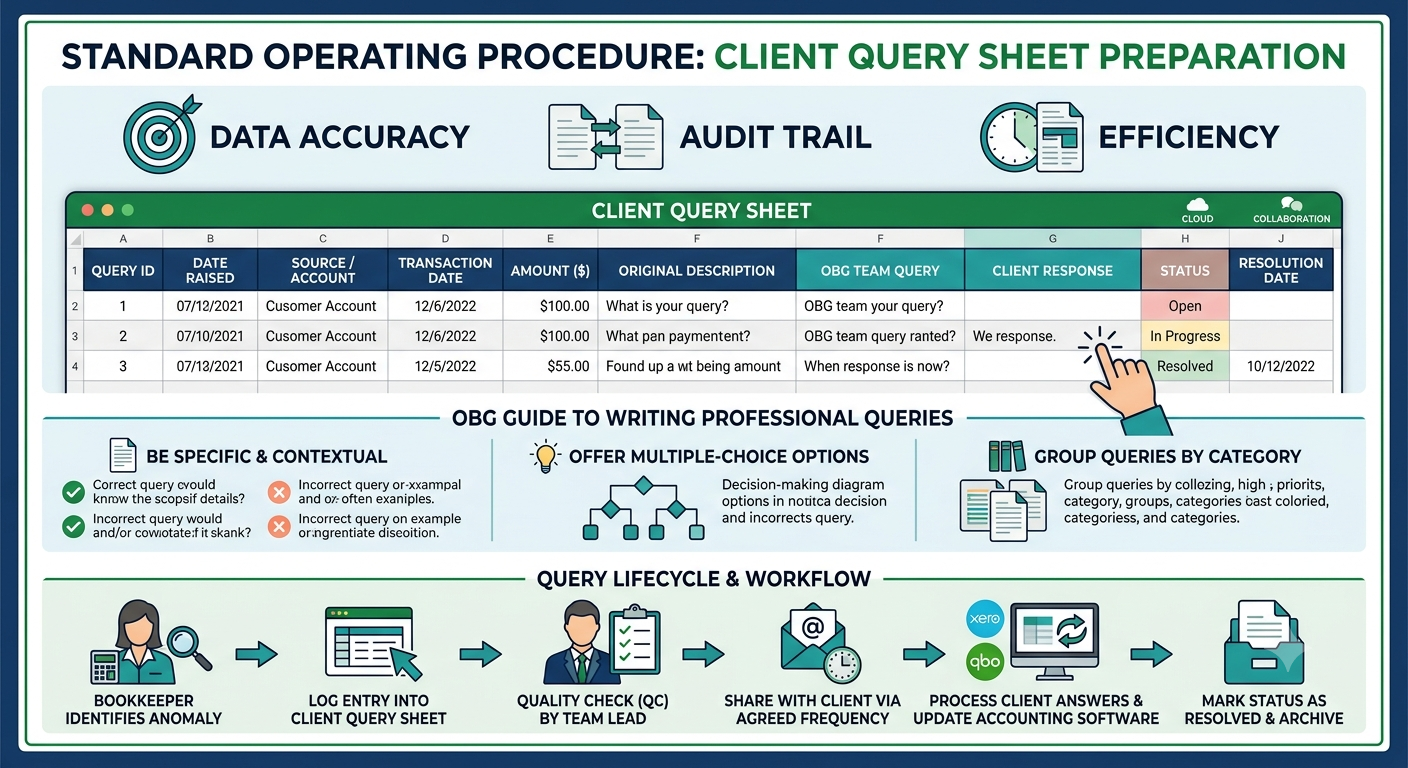
Standard Operating Procedure: Client Query Sheet Preparation
In outsourced accounting, bookkeeping, and tax services, the Client Query Sheet (also known as the Clarification Tracker or Open Items List) serves as the primary communication bridge between our production team and the client.
The purpose of this document is to systematically log, track, and resolve missing documentation, unclassified transactions, and payroll or tax ambiguities without causing communication fatigue for the client.
1. Objectives of the Client Query Sheet
Data Accuracy: Ensures transactions are categorized correctly according to standard GAAP/IFRS principles or specific client preferences.
Audit Trail: Maintains a recorded history of why specific accounting treatments or classifications were chosen based on direct client feedback.
Efficiency: Consolidates questions into a single, structured format rather than sending scattered, daily emails.
2. Standard Structure of the Query Sheet
The tracker should ideally be maintained on a collaborative platform (such as Google Sheets or Microsoft Excel Online) so both the OBG team and the client can view updates in real time.
| Field Name | Description | Example Entry |
|---|---|---|
| Query ID | Unique serial number for tracking | QB-2026-001 |
| Date Raised | The date the query was added to the sheet | 06-Jul-2026 |
| Source / Account | The bank, credit card, or module involved | Chase Bank Operating x4412 |
| Transaction Date | The date the transaction occurred | 28-Jun-2026 |
| Amount ($/?) | The value of the transaction | $1,450.00 |
| Original Description | Bank text or raw statement narrative | "AMZN MKTP US*RENEWAL" |
| OBG Team Query | Clear, concise question or required action | "Please provide the invoice or confirm if this is an annual software subscription for AWS." |
| Client Response | Section reserved exclusively for the client | [To be filled by client] |
| Status | Current state of the query | Open / In Progress / Resolved |
| Resolution Date | Date the issue was closed in the books | [To be filled post-resolution] |
3. The OBG Guide to Writing Professional Queries
To maintain our standard of excellence and ensure prompt client responses, all internal team members must follow these phrasing guidelines:
Be Specific and Contextual
Avoid vague questions like "What is this?" or "Need invoice." Instead, provide context so the client doesn't have to look up the transaction themselves.
? Incorrect: What is $500 for?
Correct: We noted a $500 withdrawal on 03-Jul. Could you please confirm if this was for petty cash replenishment or a specific vendor payment?
Offer Multiple-Choice Options
Whenever possible, look at historical data or vendor types and suggest likely classifications. This reduces cognitive load for the client.
Incorrect: Tell us where to code Home Depot.
Correct: Please clarify if the $240 purchase at Home Depot was for Office Maintenance or Project Materials for the construction site.
Group Queries by Category
Organize the sheet logically. Group all missing receipts together, followed by unclassified deposits, and then payroll discrepancies. A fragmented sheet slows down client reviews.
4. Query Lifecycle & Workflow
[Step 1: Bookkeeper identifies anomaly during reconciliation]
[Step 2: Log entry into the Client Query Sheet with preliminary analysis]
[Step 3: Quality Check (QC) by Team Lead / Reviewer]
[Step 4: Share with Client via agreed frequency (Weekly/Bi-weekly)]
[Step 5: Process client answers & update accounting software (Xero/QBO)]
[Step 6: Mark Status as 'Resolved' and hide row or move to Archive tab]
5. Best Practices for OBG Teams
Keep it Clean: Once a query is marked Resolved, move it to an "Archived/Resolved" tab. The main tab should only display active, open issues.
Highlight Urgency: Use subtle color coding (e.g., Light Red for High Priority/Tax-critical items, Light Yellow for Routine items). Avoid aggressive formatting.
Set Timelines: Gently mention a turnaround expectation when sending the sheet to the client (e.g., "To finalize the June Month-End Close by the 10th, please share your inputs on this sheet by the 8th.").
Would you like to customize this content to focus on a specific accounting tool your team uses (like QuickBooks Online or Xero), or do you need a downloadable format script to generate this template automatically?
Software We Use


